Dictionary Home » Images » computer images

computer images

computer

The 3 C's - Finding Things

This example counts all California records in the database by comparing each record with "CA." Every record in the database is read into memory. The memory locations that state is written into are compared with the letters "CA" in the program. If they are equal, a "1" is added to the California counter. The second record is written into the same memory bytes as the first record, and the field is compared again. This process is performed until the last record has been examined.

Computer Desktop Encyclopedia THIS DEFINITION IS FOR PERSONAL USE ONLY
All other reproduction is strictly prohibited without permission from the publisher.
Copyright © 1981-2010 by Computer Language Company Inc. All rights reserved.

computer

The 3 C's - Displaying and Printing

Data are stored as contiguous fields in the database with no blanks in between. The data are displayed and printed the way we like to see it by writing the data into memory and copying the characters into the desired order. The date in this example is printed through a "picture," which is a set of characters that acts as a filter. Each character in the date is compared to a corresponding character in the picture, and the one copied as output is determined by the rules. Pictures can be implemented in software or in hardware.

Computer Desktop Encyclopedia THIS DEFINITION IS FOR PERSONAL USE ONLY
All other reproduction is strictly prohibited without permission from the publisher.
Copyright © 1981-2010 by Computer Language Company Inc. All rights reserved.

computer

The 3 C's - Sorting

Sorting (resequencing) data is accomplished by comparing each item of data with the others and copying it into the appropriate order. Of course, there is a ton of calculating going on to keep track of what is being compared. Years ago, when databases were stored on tape, the speed of a vendor's sort program was a powerful marketing feature. All transactions had to be sorted into account number sequence in order to be processed. In today's online systems, data are often indexed. Instead of sorting the actual data records themselves, the much smaller indexes are sorted.

Computer Desktop Encyclopedia THIS DEFINITION IS FOR PERSONAL USE ONLY
All other reproduction is strictly prohibited without permission from the publisher.
Copyright © 1981-2010 by Computer Language Company Inc. All rights reserved.

computer

The 3 C's - Editing

The magic of word processing is nothing more than copying text. In this example, in order for the "O" to be inserted into the word, the remaining characters are copied one memory location (byte) to the right to make room for it. Deleting is copying in reverse. As in all data processing, there is a whole lot of calculating and comparing going on to keep track of where the text is stored in memory.

The Stored Program Concept The computer's ability to call in instructions and follow them is known as the "stored program concept." Instructions are copied into memory from a disk, tape or other source before any data can be processed. The computer is directed to start with the first instruction in the program. It copies the instruction from memory into its control unit circuit and matches it against its built-in set of instructions. If the instruction is valid, the processor carries it out. If not, the computer comes to an abnormal end (see crash). The computer executes instructions sequentially until it finds a GOTO instruction that tells it to go to a different place in the program. It can execute billions of instructions per second, using the same program logic on each new set of data brought in. Operations Overlap Input/output and processing are made to overlap. While one program is waiting for input from one user, the operating system (master control program) directs the computer to process data in another program. Large computers allow many input/output operations to occur simultaneously with processing. It can take hundreds of thousands of discrete machine steps to perform very routine tasks. Your computer could easily execute several million instructions to put a requested record on screen for you. Computer Generations First-generation computers, starting with the UNIVAC I in 1951, used vacuum tubes, and their memories were made of thin tubes of liquid mercury and magnetic drums. Second-generation systems in the late 1950s replaced tubes with transistors and used magnetic cores for memories (IBM 1401, Honeywell 800). Size was reduced and reliability was significantly improved. Third-generation computers, beginning in the mid-1960s, used the first integrated circuits (IBM 360, CDC 6400) and the first operating systems and DBMSs. Online systems were widely developed, although most processing was still batch oriented using punch cards and magnetic tapes. Starting in the mid-1970s, the fourth generation brought us computers made entirely of chips. It spawned the microprocessor and personal computer. It introduced distributed processing and office automation. Query languages, report writers and spreadsheets put large numbers of people in touch with the computer for the first time. Even with the hundreds of millions of people using computers every day, we are still in the fourth generation. Some skill is still required to use the computer even if only to surf the Web and send e-mail. The fifth generation implies faster hardware and more sophisticated software that uses artificial intelligence (AI) routinely. Natural language recognition is a major component of the fifth generation. When you can have a reasonably intelligent conversation with the average computer, you will be in the fifth generation, perhaps in the 2015-2020 time frame.

Computer Desktop Encyclopedia THIS DEFINITION IS FOR PERSONAL USE ONLY
All other reproduction is strictly prohibited without permission from the publisher.
Copyright © 1981-2010 by Computer Language Company Inc. All rights reserved.

computer

The Beginning of Commercial Computing

In the early 1950s, the UNIVAC I ushered in the computer age. This picture was taken in Frankfurt, Germany in 1956 and shows the console on the right, a little more than half the CPU on the left and the tape drives in the background.

Computer Desktop Encyclopedia THIS DEFINITION IS FOR PERSONAL USE ONLY
All other reproduction is strictly prohibited without permission from the publisher.
Copyright © 1981-2010 by Computer Language Company Inc. All rights reserved.

computer

The Installation

This picture, taken in 1956, shows half the CPU of the UNIVAC I. Imagine yourself watching this awesome sight and someone says to you, "in 20 years, everything you see being wheeled up the ramp will fit on the tip of your finger." Would you have believed it?

Computer Desktop Encyclopedia THIS DEFINITION IS FOR PERSONAL USE ONLY
All other reproduction is strictly prohibited without permission from the publisher.
Copyright © 1981-2010 by Computer Language Company Inc. All rights reserved.

computer

Types of Computers Computers can be as small as a chip or as large as a truck. The difference is in the amount of work they do within the same time frame. Its power is based on many factors, including word size and the speed of its CPU, memory and peripherals. Following is a "rough" guide to system cost.

  Type of                    Approximate Cost
Computer In 2006 US $

Chips

Microcontroller (MCU)
(4, 8, 32, 16-bit) $1 - $150

Microprocessor chip
(4, 8, 16, 32, 64-bit) $5 - $1K


Client Systems

Desktop/laptop client
(32, 64-bit) $400 - $6K

Workstation (32, 64-bit) $5K - $25K


Server Systems

Low end server
(32, 64-bit) $2K - 5K

Midrange server
(32, 64-bit) $15K - 250K

High-end server/mainframe
(32, 64-bit) $500K - $3M

Supercomputer (64-bit) $1M - $5M

K = thousand $
M = million $
Computer Desktop Encyclopedia THIS DEFINITION IS FOR PERSONAL USE ONLY
All other reproduction is strictly prohibited without permission from the publisher.
Copyright © 1981-2010 by Computer Language Company Inc. All rights reserved.

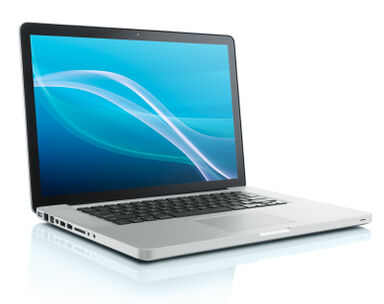
A silver laptop computer.

A silver laptop computer.

Licensed from iStockPhoto

More computer images

Learn more about computer

Related Articles

link/cite print suggestion box